

Web Console
The server ships a web console at /ui. It is keyboard-first: ⌘K opens the command
palette everywhere, g followed by a letter jumps to a page, and ? lists every shortcut.
| Page | What it does |
|---|---|
Resources (g r) |
Browse and search any resource type, edit JSON with schema completion, delete with undo. History (h) lists every version with a diff against the previous or the current one and restores an old version (with undo). |
Requests (g e) |
A REST console with search-aware autocomplete, saved history and an Explain panel that shows the SQL and plan behind a search. |
Packages (g p) |
Install FHIR packages (IGs) and browse their profiles, value sets and other canonical resources. Compare diffs two versions of a package profile by profile (fhir-diff): breaking changes, warnings and additions, exported as Markdown, SARIF or text. A version that is not installed is read from the package registry for the comparison and not installed. |
Bulk data (g b) |
Start $export (system, Patient or Group, with its filters and output options), import a local NDJSON file or $import from URLs, hand the server a manifest with $bulk-submit, follow progress and download the output files. See Bulk Data. |
| Page | What it does |
|---|---|
SQL (g s) |
A Postgres console with completion, formatting, history and charts of results. |
GraphQL (g g), FHIRPath (g f), CQL (g q) |
Consoles for each language against live data; the FHIRPath one replays a debug trace of the evaluation. See CQL. |
FML (g k) |
Write a map or open a stored one, check it as you type, run it over a resource or a CDA document, replay the debug trace, save it as a StructureMap and share it as a link. See FHIR Mapping Language. |
Views (g v) |
SQL on FHIR: author ViewDefinitions and SQLQuery / SQLView Libraries over them, and run either through $sql-run. The SQL editor completes and checks against the query’s dependencies (their labels and columns) and its :name parameters, and applies the same sandbox check the server does. Each dependency shows what it resolved to: a view’s columns, or for a ValueSet or ConceptMap its version, size and where its content came from. See SQL on FHIR. |
Terminology (g t) |
Search value sets, code systems and concept maps across installed packages; expand and filter value sets, check codes, browse concept hierarchies with $lookup, test $subsumes and $translate. |
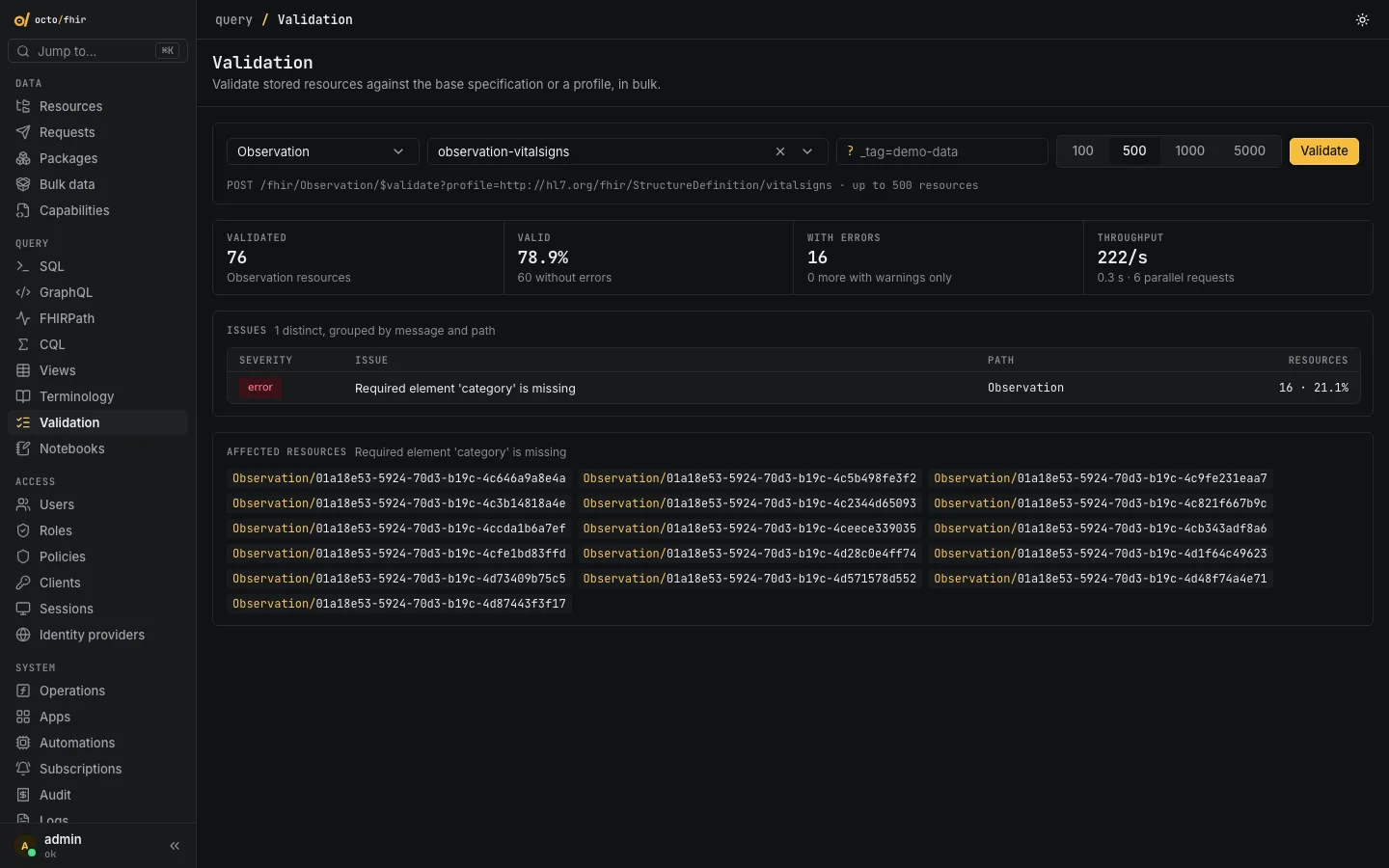
Validation (g x) |
Validate up to 5,000 stored resources at once against the base specification or a profile. Issues are grouped by message and path so systematic problems stand out. |
Notebooks (g n) |
Notebooks that mix Markdown with REST, SQL, GraphQL, FHIRPath, CQL and ViewDefinition cells, inputs and charts. See Notebooks. |
System
Section titled “System”| Page | What it does |
|---|---|
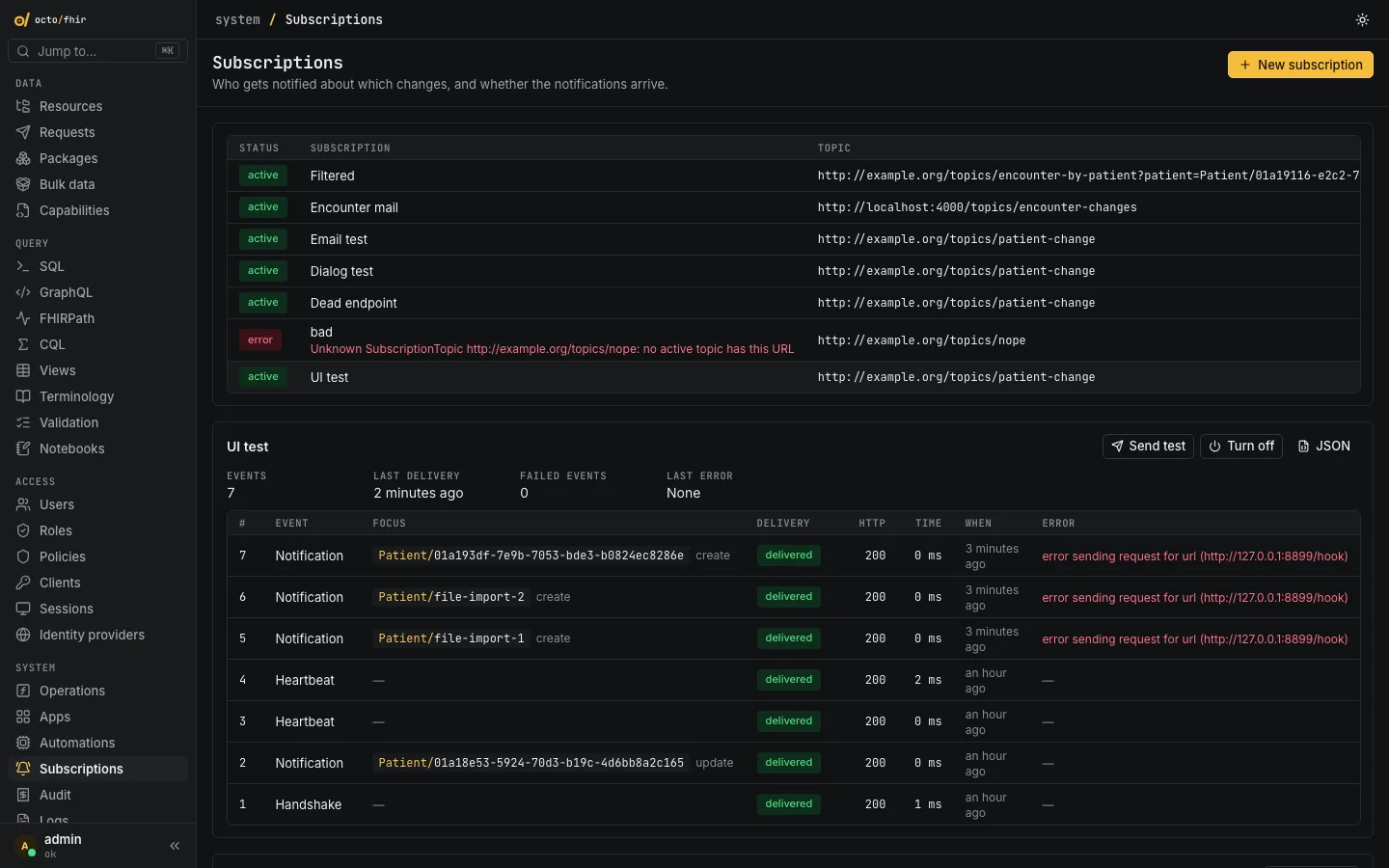
| Subscriptions | Every subscription with its status and channel, a live delivery log (status, HTTP code, time, retries, errors), Send test and on/off. See Subscriptions. |
Performance (g m) |
Dashboards over this deployment’s metrics in Prometheus, across every instance: the built-in System (HTTP, FHIR interactions by resource type, routes, database, cache, Tokio runtime, process) and your own, edited on a grid with a visual query builder or a PromQL editor that completes metrics and labels, and Explain, which runs every step of a query to show where series go missing. Drag across a chart to zoom; export any dashboard to Grafana or import one from it. Shown when [metrics.prometheus] is configured. See Metrics & dashboards. |
| Database | Table sizes, dead rows and maintenance (vacuum, analyze, reindex). For FHIR tables, Index advice suggests indexes from the table’s shape, from observed SQL (with pg_stat_statements) or from pasted request URLs; Open in SQL puts the CREATE INDEX into the SQL console without running it. See No reindexing. |
| Audit, Logs | The audit trail and the live server log. |
| Users, Roles, Policies, Clients, Sessions, Identity providers | Access management. |
The Overview shows server health, live throughput, running bulk jobs and subscriptions in error, and offers to load a small demo dataset on an empty server.
Comparing packages
Section titled “Comparing packages”Packages → Compare reports what changed between two versions of a package, profile by profile: min and max, mustSupport, bindings, invariants, types and slicing, each graded as breaking, a warning or an addition. The same report is available over HTTP:
POST /api/packages/diffContent-Type: application/json
{ "old": "hl7.fhir.us.core@6.1.0", "new": "hl7.fhir.us.core@9.0.0", "format": "markdown", "minSeverity": "breaking"}| Field | Meaning |
|---|---|
old, new |
Packages as name@version |
profiles |
Compare only these, by canonical URL or name |
format |
json (the default), markdown, sarif or text |
minSeverity |
info (the default), warning or breaking. Changes below it are left out of Markdown, SARIF and text. |
An installed package is read from the package store. One that is not installed is downloaded from the package registry and read in memory. It is never installed, so the server’s profiles and validation do not change because someone compared versions.